Tweet number 28,266
-
A little "Fun with Handycapper" thread... prior to the release of Handycapper my query skills were minimal at best, and it had been several years since I used them. Over the last week I've been googling & poking around trying to improve. It was a week of this...View at Twitter
 ❤️ 2 Favorites
Mood +9 🙂
❤️ 2 Favorites
Mood +9 🙂
-
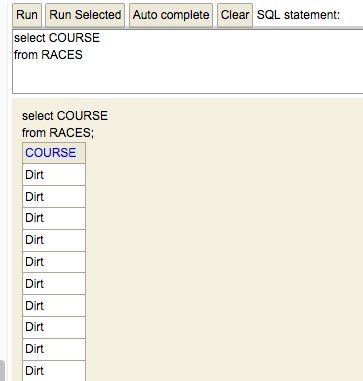
I started with the most basic, "hey, show me everything for this one thing". The query below basically selects a column (data element) from a table (the way the data elements are grouped together in the database) and lists everything. w3schools.com/sql/sql_select.aspPermalink View at Twitter
 Mood 0
-
The above example lists the course for every row, in this case a row = a race. The other values for course are Turf and Inner Turf (in my data). Selecting a column like this can be a quick way to see what values are used, so then you can start querying for specific examplesPermalink View at Twitter
Mood +2 🙂
-
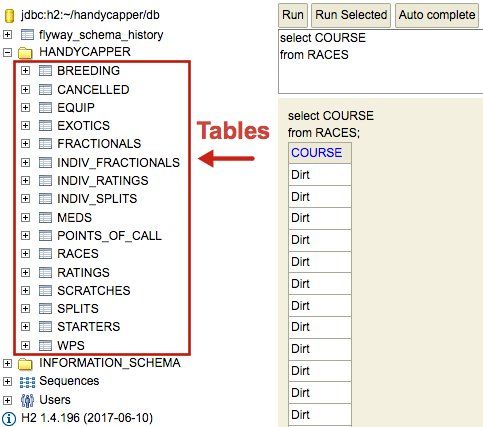
The next step was to add a "where" clause to specify values, like "dirt". You an also select more than one column, this is where it gets fun. The easiest way to see how the data is structured is to expand the database (Handycapper), below it are the tables...Permalink View at Twitter
 Mood +5 🙂
-
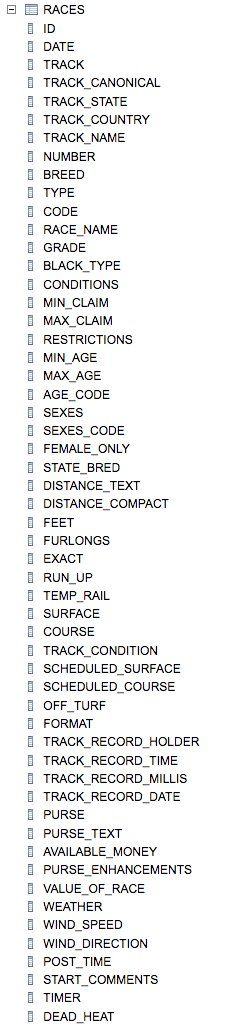
Then expand a table, like Races, to see the column names, like "course"Permalink View at Twitter
 Mood +5 🙂
-
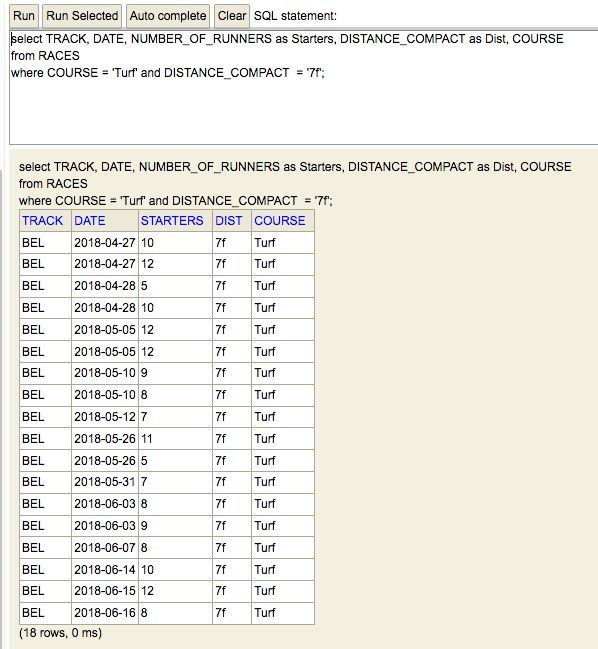
Now we're gonna look at a couple of columns that have specific conditions: Handycapper, show me the number of starters for every 7F race on the turf at Belmont! (I only have current BEL meet in there or I'd need to include track in the where clause) w3schools.com/sql/sql_where.aspPermalink View at Twitter
 Mood 0
-
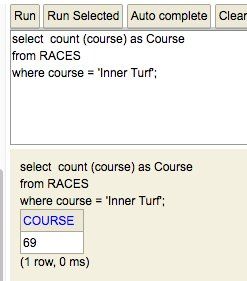
Feeling confident, I moved on to vanilla counts: Handycapper, how many races have been run on the Inner at Belmont so far? w3schools.com/sql/sql_count_avg_sum.asp Another note, you can use "as" ("as Course" below) to rename the columns, this column would be named 'count(course)' otherwisePermalink View at Twitter
 Mood +3 🙂
-
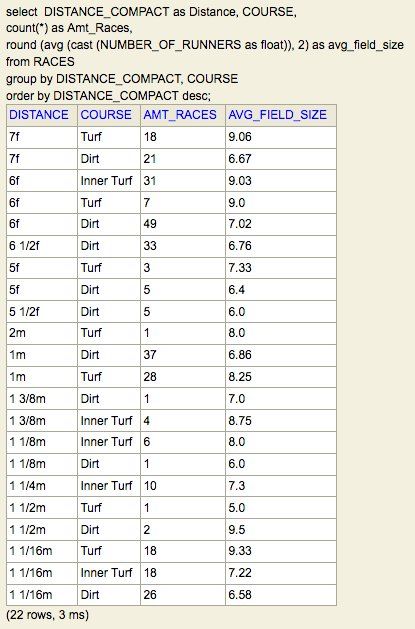
Finally I moved on to more complexity where I wanted to see the average field size per distance/course. This took awhile, and even after I got it to work, then I had to bang my head some more to get two decimal points. So much of this...Permalink View at Twitter
Mood 0
-
But alas, it finally worked! My first non-vanilla query that I wrote myself. I included amount of races for reference. Open to suggestions for improvement or QA. Spotted checked a few so I feel moderately confident that's correct, and if it is, it's def a sense of accomplishment!Permalink View at Twitter
 Mood +5 🙂
-
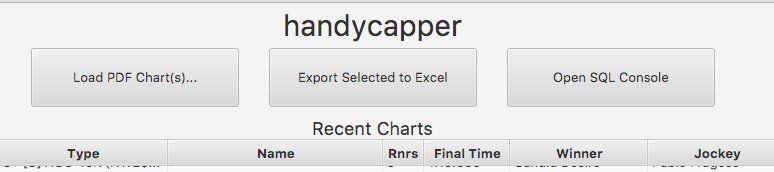
So even if you think you can't do it, start slow and build over time. The only thing you really need to be good at using a search engine and not giving up. In Handycapper click the Open SQL Console button to launch it in a browserPermalink View at Twitter
 Mood +3 🙂
-
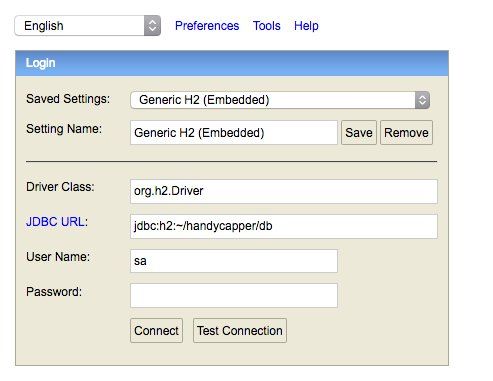
Then click the connect button in the SQL console, no password needed. Poke around and have some fun! The best way to thank @robinhowlett for his hard work is to use Handycapper and see what you can come up with #releasethedataPermalink View at Twitter
 ♻️ 1 Retweets
Mood +7 🙂
♻️ 1 Retweets
Mood +7 🙂
-
Permalink View at Twitter
Mood 0